
Home / Time clocks and access / Face / palm recognition
Face and palm recognition
Face or palm. No card, no code.
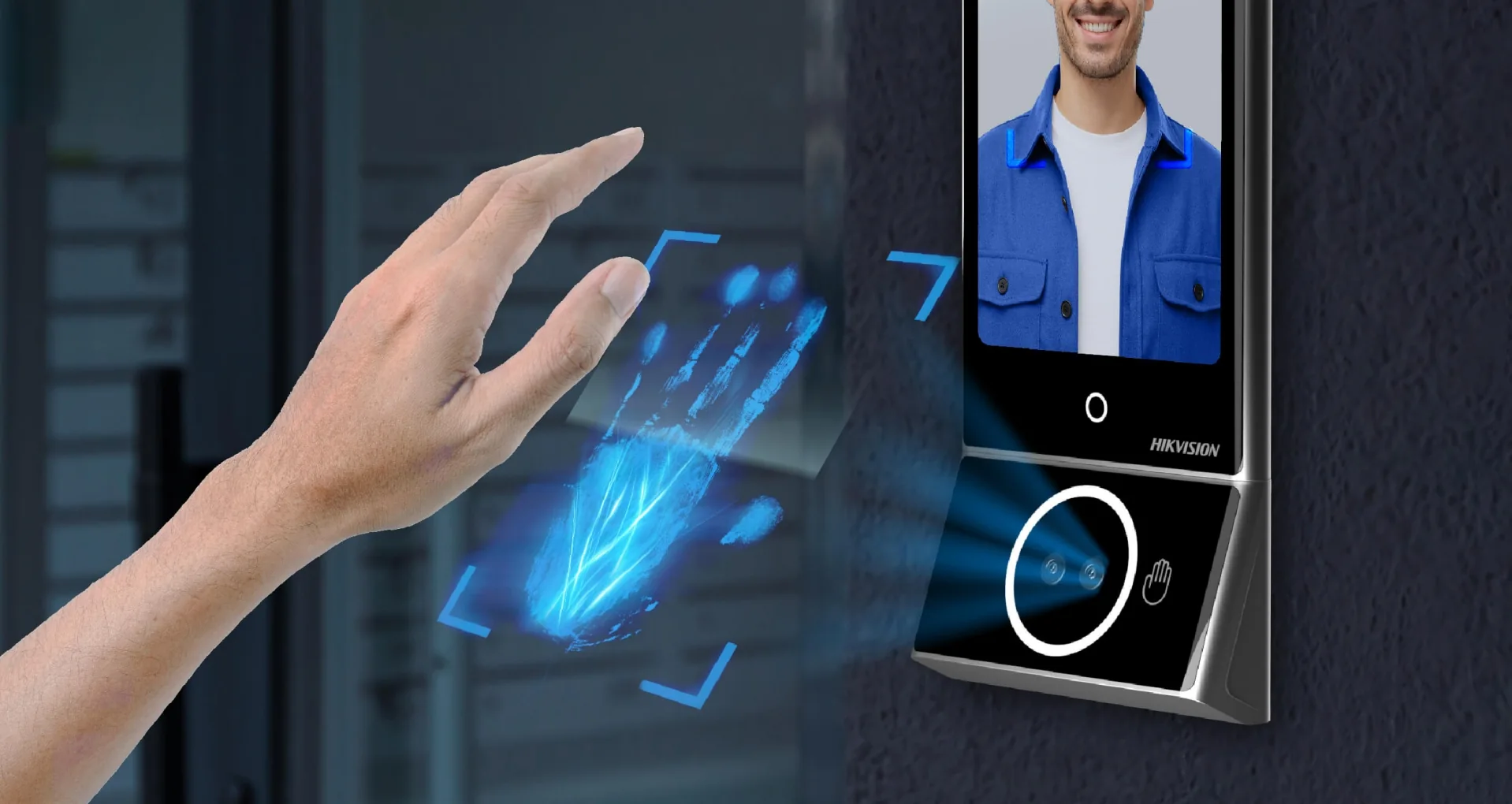
The Hikvision terminal recognises the employee by their face. Optionally, a module that reads the veins in the palm in infrared is mounted on the terminal.
Face EUR 386 · face + palm EUR 530, for one device mounted on one side of the door
How it works
Biometrics, with little data.
01 / Data
Photos do not reach Creasoft.
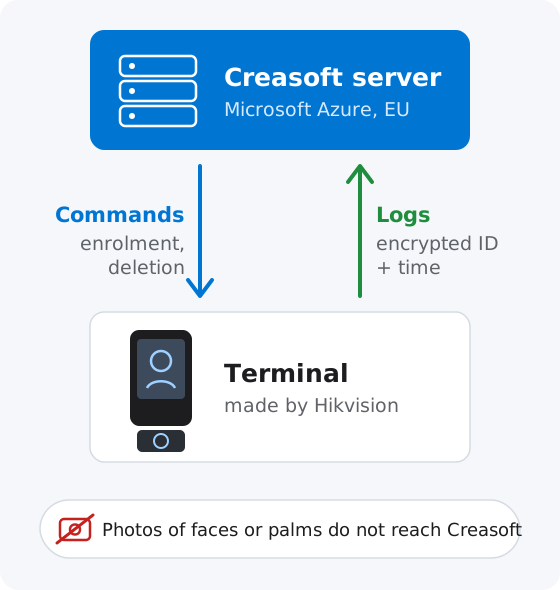
The terminal recognises the employee and transmits only an encrypted identifier.
02 / Administration
Everything from the application.
Enrolling a new face or palm and deleting it are controlled from the Creasoft application.
03 / Clock-ins
Straight into the register.
Authentications are picked up automatically in Creasoft HR, with the recognised employee’s ID.
Controlled by Creasoft
Made by Hikvision. Controlled by Creasoft.
In partnership with Hikvision, Creasoft has taken over the control and communication of these terminals. The Hik-Connect option is disabled, so the terminal does not send data to the Hikvision cloud: enrolment and deletion are controlled from the Creasoft server, and authentication logs reach Creasoft.
In the application
Enrol a palm with one click.
Choose the device and the employee, press „Enrol palm”, and the employee holds their palm close to the module.
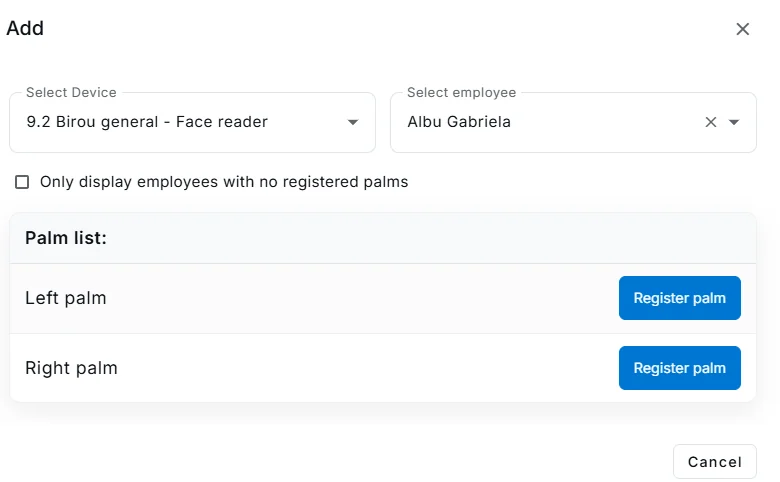
Screenshots from the Creasoft HR application. The personal data shown is not real; it has been anonymised
Price
The price is per device.
EUR 386 for the face recognition terminal, EUR 530 for the terminal with the palm scanning module, excluding VAT. The price is for a single device, mounted on one side of the door. Entrance and exit on the same door need two devices. The terminal replaces the Creasoft kit and connects through the company Wi-Fi. Clocking in with the phone in the field remains available.
Frequently asked questions.
Does Creasoft receive photos of employees’ faces or palms?
No. We receive only an encrypted identifier from the terminal. Adding and removing employees is controlled from the application.
Does the terminal send data to the Hikvision cloud?
No. The terminals are used with the Hik-Connect option disabled, so no data is sent to the Hikvision cloud. Enrolment and deletion are controlled from the Creasoft server, and authentication logs, with the employee’s encrypted identifier, reach Creasoft.
Who controls the Hikvision terminal?
Creasoft. The terminal is made by Hikvision, but in partnership with Hikvision, Creasoft has taken over the control and communication of these devices. Commands to enrol and delete a face or palm are given from the Creasoft server, and authentication logs, with the employee’s encrypted identifier, are sent to Creasoft.
How much does it cost?
The face recognition terminal costs EUR 386, and the terminal with the palm scanning module EUR 530, excluding VAT. The price is for a single device, mounted on one side of the door.
Can I also use a card or fingerprint on the same terminal?
No; in the Creasoft configuration the face and palm terminal replaces the card or fingerprint kit. Employees can still clock in with the phone in the field, with or without geographic coordinates.
How does the terminal connect to the internet?
Through the company Wi-Fi network. Unlike the Creasoft kit, the Hikvision terminal has no GSM modem or SIM.
How is the palm read?
The palm module is mounted on the face recognition terminal and reads the veins in the palm in infrared.
Is clocking in with face or palm legal?
Face and palm are biometric data, a special category of data under art. 9 GDPR. The employer must justify their use and offer an alternative to employees who do not want them.
See how it fits your company.
An online demo takes about 30 minutes. We show you time tracking, reports and documents using an example close to your company.
Or call sales: +40 749 500 400