
Solutions / Employee Experience
Employee reviews
Clear reviews. On criteria you choose.
You prepare the form, assign the participants and keep the results in each employee’s history.
How it works.
1. Template
Your templates.
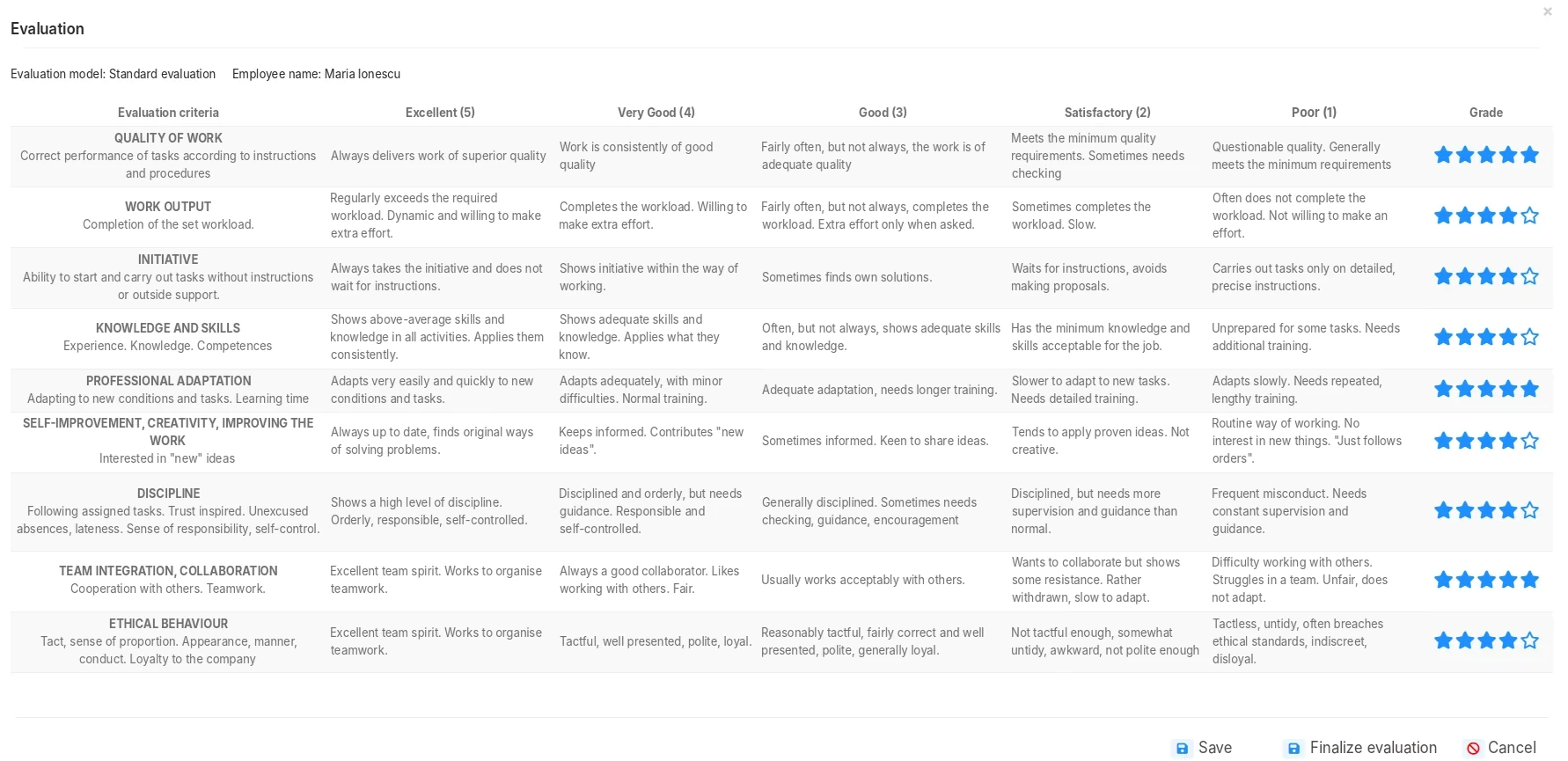
Create review templates with different categories, criteria and weights, by job or by experience level.
2. Participants
Who reviews whom.
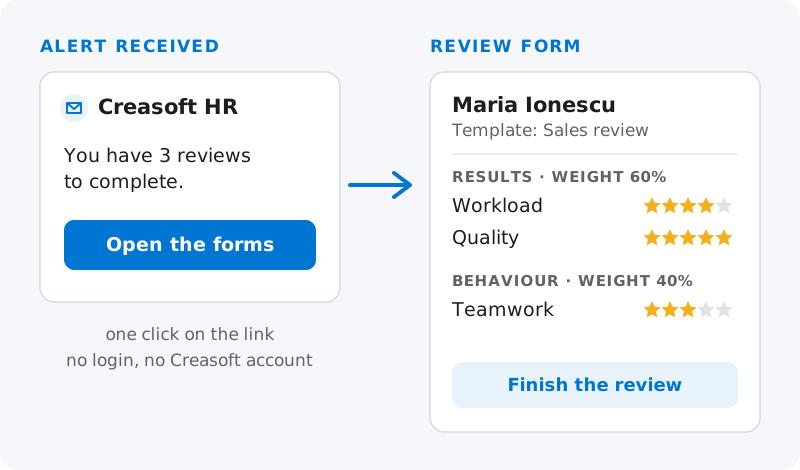
Reviews are sent by alerts to the designated managers. Employees can add their own feedback.
3. History
Results in the file.
Reviews stay in the employee’s history, next to their other documents.
Review from a link
One click on the alert. No Creasoft account.
The manager reviews from the Creasoft interface or directly from the link received in the alert: one click on the message opens the review forms.
They do not need to sign in to Creasoft and do not need a user account.
Frequently asked questions.
Can I create my own review templates?
Yes. The template has categories and criteria, with different weights in the review. For each criterion you describe what each score means, from Excellent (5) to Poor (1).
Does the manager need a Creasoft account to review?
No. Reviews are sent by alerts to the designated managers. The manager reviews from the Creasoft interface or directly from the link received in the alert, without signing in to Creasoft and without a user account.
What happens to a completed review?
It stays in the employee’s history. It can be exported to PDF, with the company letterhead if you have configured it, and sent to the employee to view or to sign.
Is the review module included?
Yes, in the Time Tracking and Working Time Records module and in the complete package.
Does the system decide on its own who deserves a promotion?
No. The platform organises the review and keeps the results; decisions about people are made by managers.
See how it fits your company.
An online demo takes about 30 minutes. We show you time tracking, reports and documents using an example close to your company.
Or call sales: +40 749 500 400