
Home / HR software / Field and remote time tracking
Field and remote time tracking
Your team works everywhere. Time tracking follows it.
Sales agents, service teams and remote workers clock in from Creasoft Pass. Visits, photos and documents are collected in an automatic report.
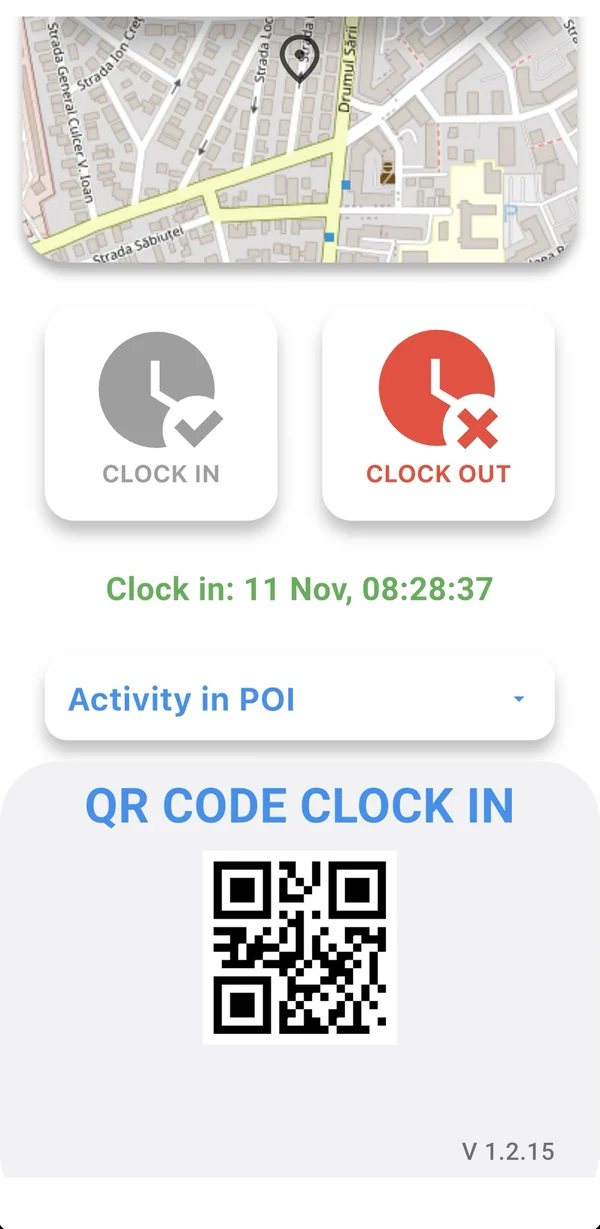
A working day
A working day, in four taps.
1 / Start work
I have started work.
The employee taps the button in the app. If the company requires it, only at a point of interest or with geolocation.
2 / Visit
Arriving at a location.
At the client, the employee checks in the visit and adds photos, documents and notes.
3 / Visit
Leaving a location.
The app records how long they stayed at each location.
4 / Finish work
I have finished work.
The working day goes into the attendance register, with no manual corrections.
Automatic report
Every visit, in one report.
- The locations visited and how long the employee stayed at each
- Notes written by the employee
- Uploaded documents: invoices, delivery reports
- Photos taken during the visit
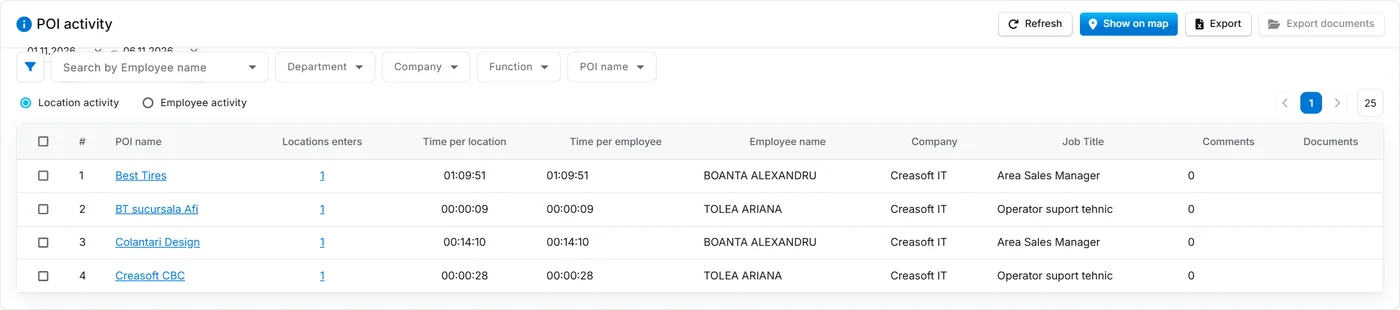
Screenshots from the Creasoft HR application. The personal data shown is not real; it has been anonymised
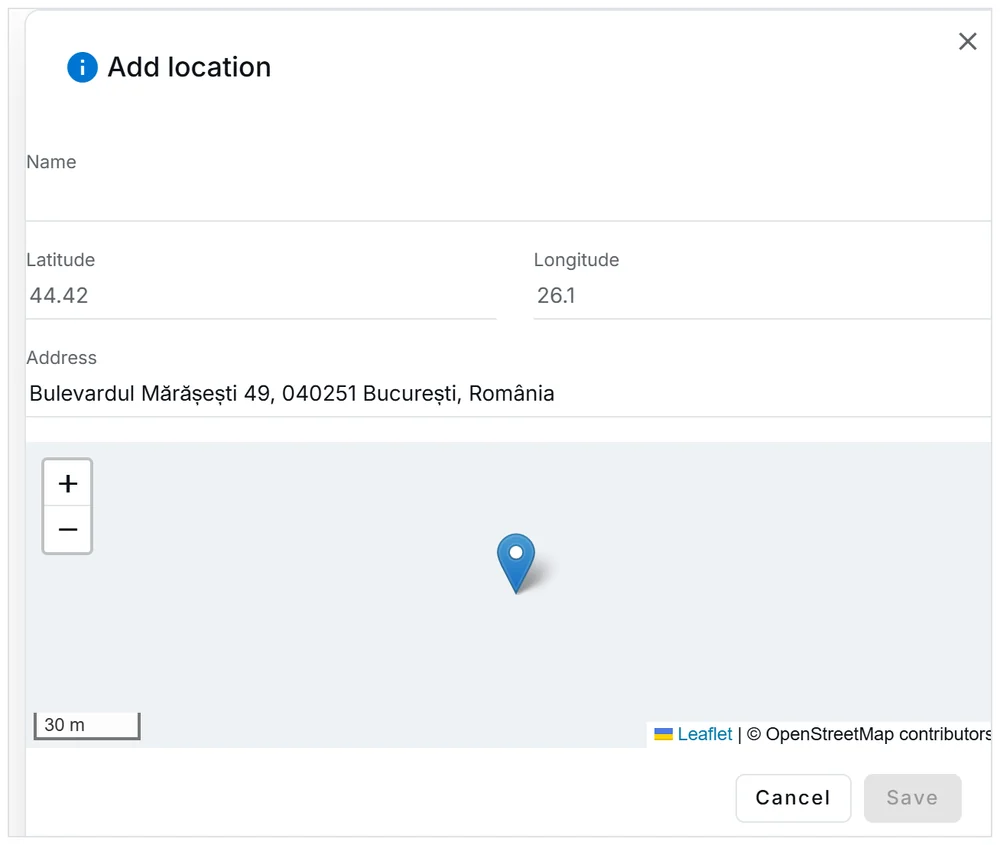
Screenshots from the Creasoft HR application. The personal data shown is not real; it has been anonymised
Locations set by the company
You choose where clocking in is allowed.
The administrator adds the points of interest on the map: offices, clients, warehouses, the bank. Clocking in can be restricted to these locations only.
Frequently asked questions.
What can the employee send from a visit?
Photos, documents (invoices, delivery reports) and notes. They all appear in the automatic activity report, together with the location and the time spent there.
Is the employee tracked all day?
No. Location is used at the moments of clocking in and confirming presence at a location, according to the rules set by the company. The employee sees in the app when they clock in.
Can I use mobile time tracking for telework?
Yes. For working from home you can use the phone app or the Creasoft PC app, which records the start and end of the working day.
How is a day handled when the employee forgot to clock in?
The manager or HR adds the correction in the platform, with a justification. The correction stays in the history, so you know who changed what and why.
See how it fits your company.
An online demo takes about 30 minutes. We show you time tracking, reports and documents using an example close to your company.
Or call sales: +40 749 500 400