
Home / Time clocks and access / Creasoft Pass
Creasoft Pass
The phone is the new time card.
Employees clock in with their phone at the reader, by Bluetooth or QR code, just as with a card. Field employees, with permission, use the start and finish work buttons.
Free app on Google Play and the App Store
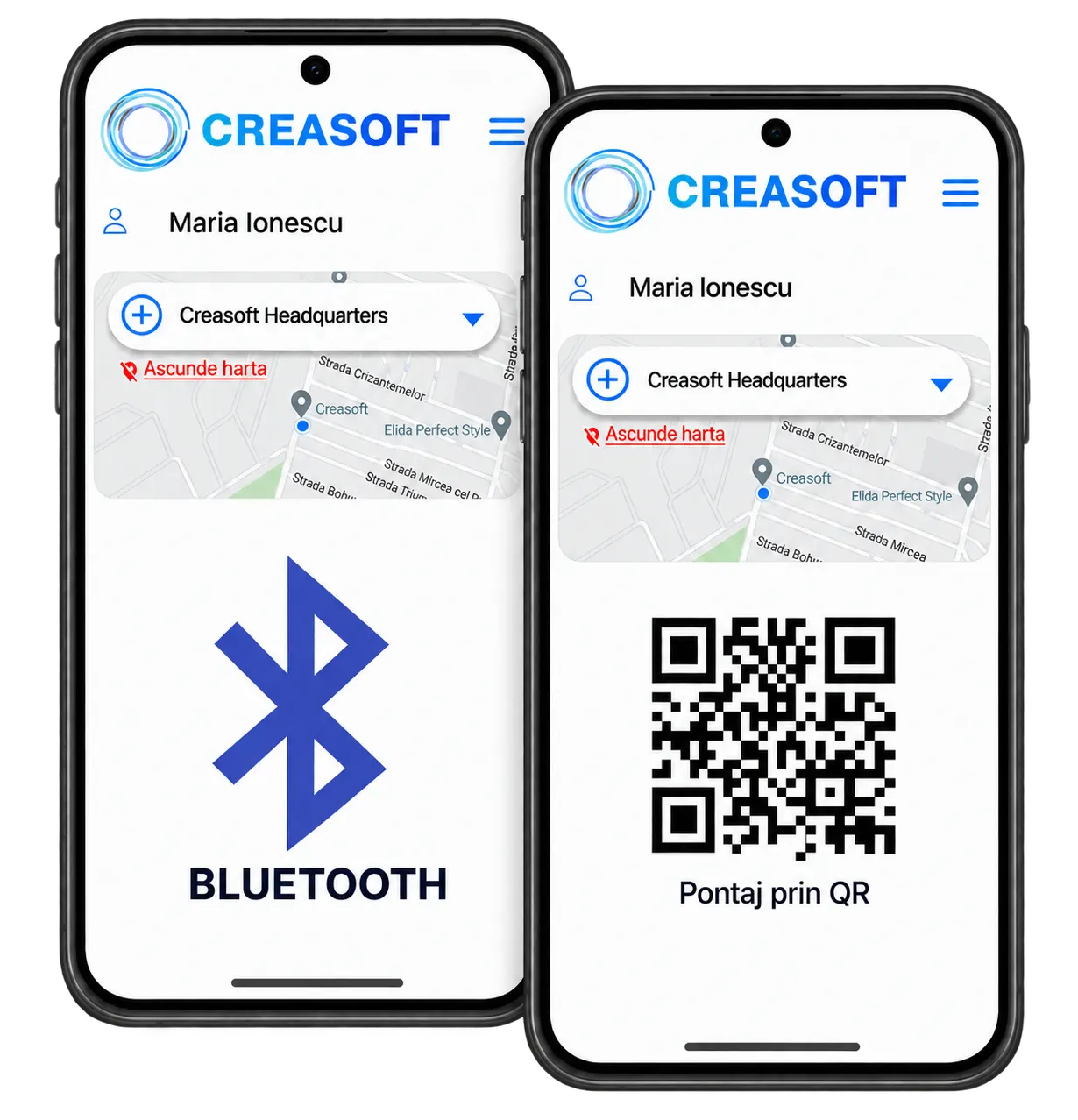
Three ways
One phone, three ways to clock in.
01 / Bluetooth
Walk past the reader.
While the app is open, the phone transmits the employee’s encrypted ID. The reader recognises it from about 10 cm.
02 / QR code
Like a parcel locker.
The app shows a dynamic, encrypted QR code that the universal reader scans. A photo of the code no longer works.
03 / In the field
Started. Finished.
The start and finish work buttons are a permission given only to field employees, who cannot clock in at fixed locations.
Without the field clock-in permission, the employee clocks in only by Bluetooth or QR code, at the reader, just as with an RFID card.
Field time tracking
The buttons are active only where they should be.
The start and finish work buttons appear only for employees who have the field clock-in permission.
The app recognises the point of interest where the employee is. If the company allows clocking in only at certain locations and the employee is not at one of them, the „Clock in” button stays grey.
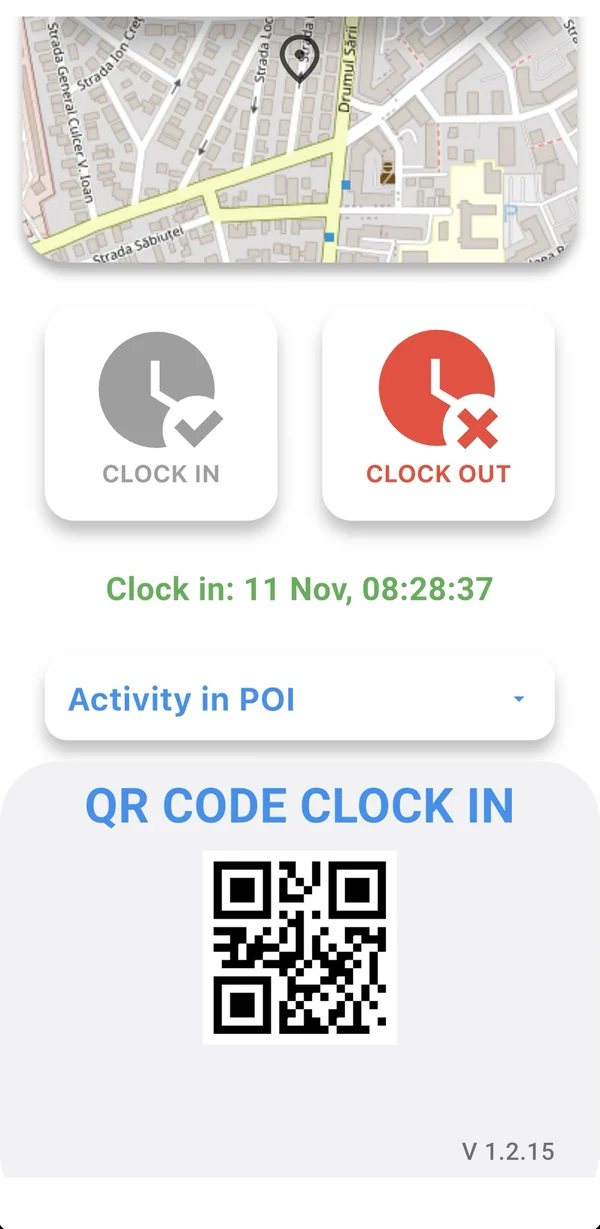
Screenshots from the Creasoft HR application. The personal data shown is not real; it has been anonymised
Self Service in the app
Employee and manager, on the same phone.
Employees see their leave and request certificates and payslips. Managers see team attendance in real time and approve requests.
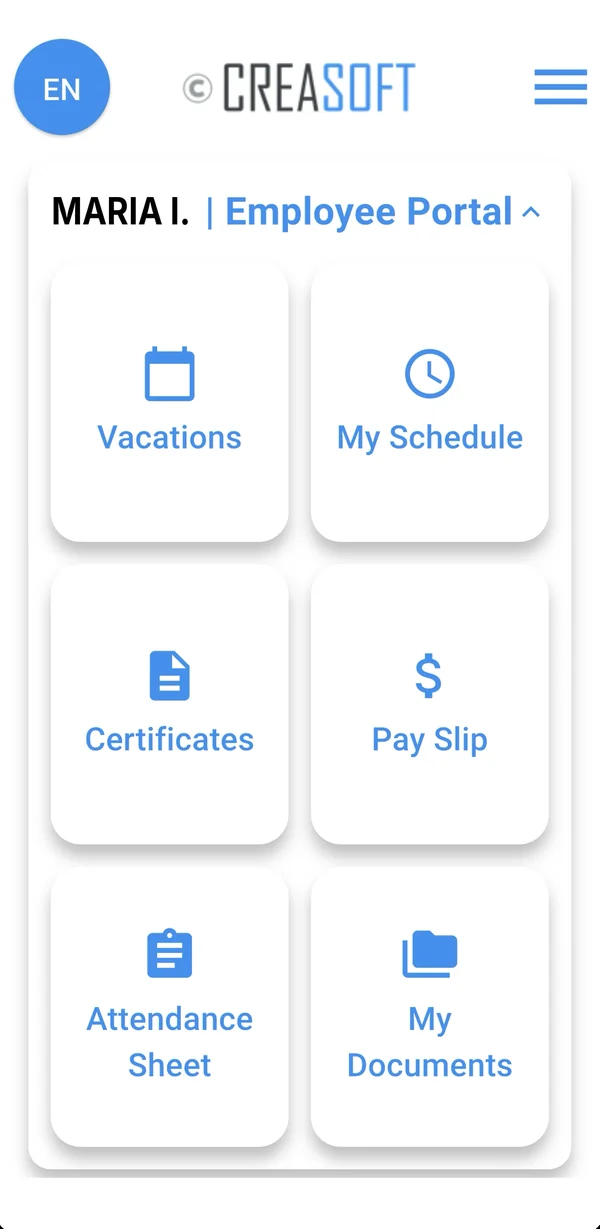
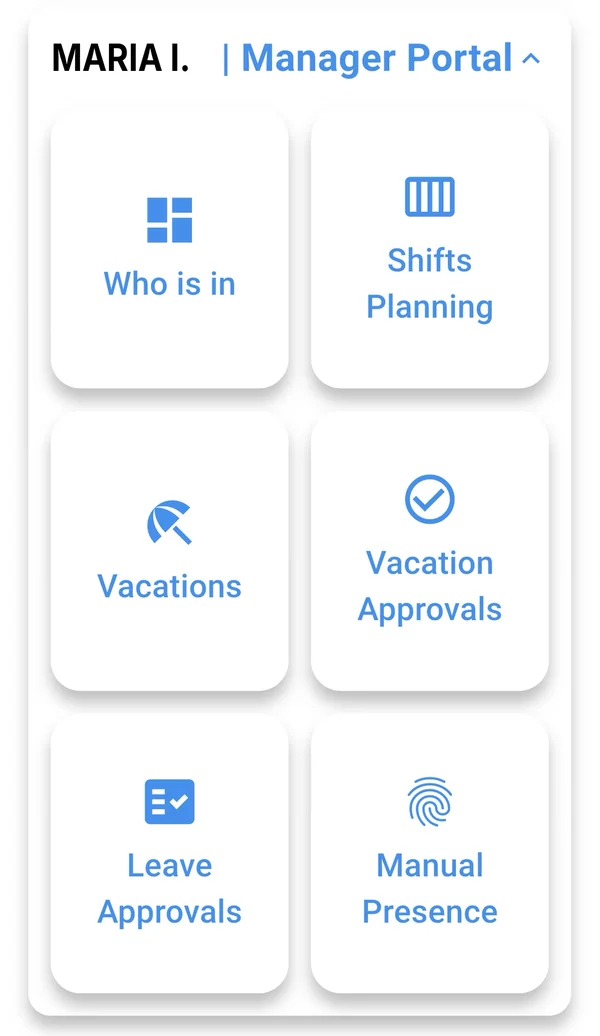
Screenshots from the Creasoft HR application. The personal data shown is not real; it has been anonymised
Frequently asked questions.
Can any employee clock in with the app buttons?
No. The start and finish work buttons are a permission the company gives only to field employees, who cannot clock in at fixed locations. Without it, the employee clocks in only by Bluetooth or QR code, at the reader, just as with an RFID card.
How does the employee sign in to the app?
With their phone number and a password received by SMS. The password is stored locally, on the phone.
How does Bluetooth clocking work?
While the app is open, the phone transmits the employee’s encrypted ID 3 times per second, the default setting. The ID is sent only while the app is open, so it does not drain the battery. By default, the reader recognises it from about 10 cm.
Does it work at a barrier, from the car?
Yes. For barriers, the reading distance of the universal reader can be increased so that the ID is read from up to about 30 metres as the car approaches.
Why a QR code if there is Bluetooth?
For employees who do not want to keep Bluetooth on. The employer can enable the QR code as an alternative or in parallel. The code is dynamic and encrypted, and the decryption key is in the Creasoft controller, so a photo of the code cannot be used.
Can I restrict field clock-ins to certain locations?
Yes. The administrator defines the points of interest: offices, clients, warehouses. The clock-in buttons are enabled only there or, for mobile teams, only if the employee accepts geolocation.
Does the employee need mobile internet?
For clocking in at the reader via Bluetooth or QR code, identification happens locally, at the reader. For field time tracking with GPS, the phone needs mobile data.
Can I require employees to use their personal phone?
It is an internal company decision. Many companies offer both options: phone for those who want it and an RFID card for the others. Creasoft does not impose any particular rule.
What happens if the employee changes phone?
The administrator releases the account in the platform, and the employee signs in on the new phone.
Where do I download the app?
Creasoft Pass is available free on Google Play and the App Store. The links are on the Downloads page.
See how it fits your company.
An online demo takes about 30 minutes. We show you time tracking, reports and documents using an example close to your company.
Or call sales: +40 749 500 400