
Solutions / Employee Experience
Employee communications
The right message. To the right people.
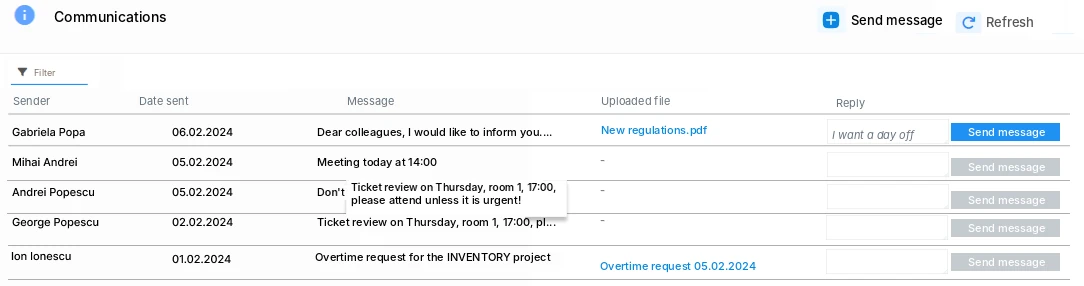
Select employees and send the message by email, SMS or push in Creasoft Pass, with documents attached. Replies stay in the history.
In short.
- GroupsThe whole company, one location, one shift or a list you choose.
- Email, SMS, pushBy email, SMS and/or push in Creasoft Pass. SMS also reaches employees without email and is paid per use.
- Attached documentsDocuments and instructions open from the link in the message.
- RepliesEmployees can reply, and all replies are visible in one place.
- ExamplesSchedule changes, training sessions, congratulations, operational announcements.
Creasoft Pass push notifications.
Alongside email and SMS communications, the app sends push alerts for HR requests, approvals and missed clock-ins or clock-outs.
Acknowledgement
The document opens after confirmation.
An advanced electronic signature, different from the usual signature, is applied to the document: „I have read and acknowledged”, the employee’s name and the authentication method.
1 / Send
Message and documents.
By email, SMS and/or push in Creasoft Pass, to the selected employees.
2 / The employee opens
One click on the message.
The link in the message contains the attached documents or instructions.
3 / Confirm
I have read and acknowledged.
If you asked for confirmation, the document opens only after the employee signs that they have acknowledged it.
4 / Proof
It stays in the history.
The status changes from „To acknowledge” to „Acknowledged”.
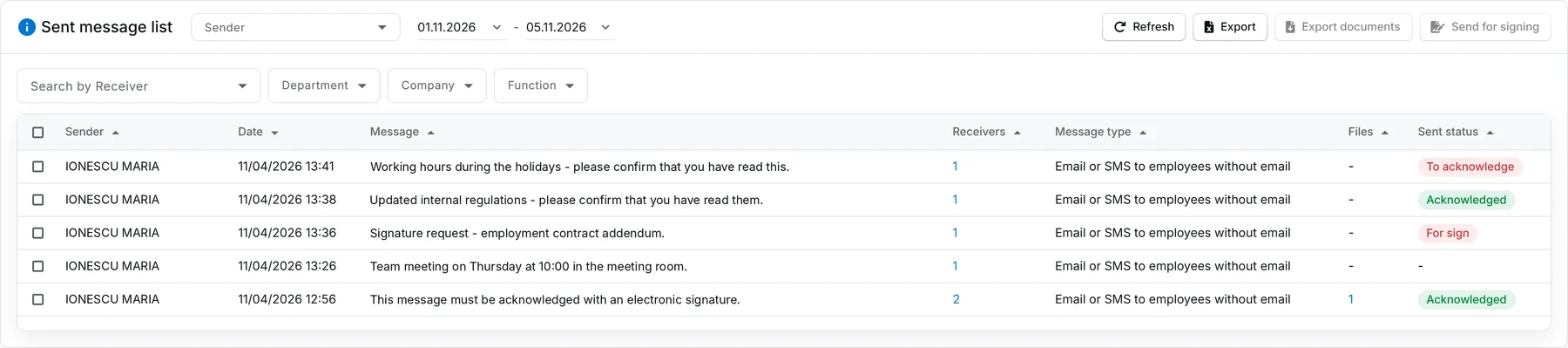
Screenshots from the Creasoft HR application. The personal data shown is not real; it has been anonymised
Example
Summons to the disciplinary committee.
The manager sends the summons as an attached document and asks for acknowledgement.
You keep proof, on an electronic channel, that the employee received and acknowledged the message and the document.
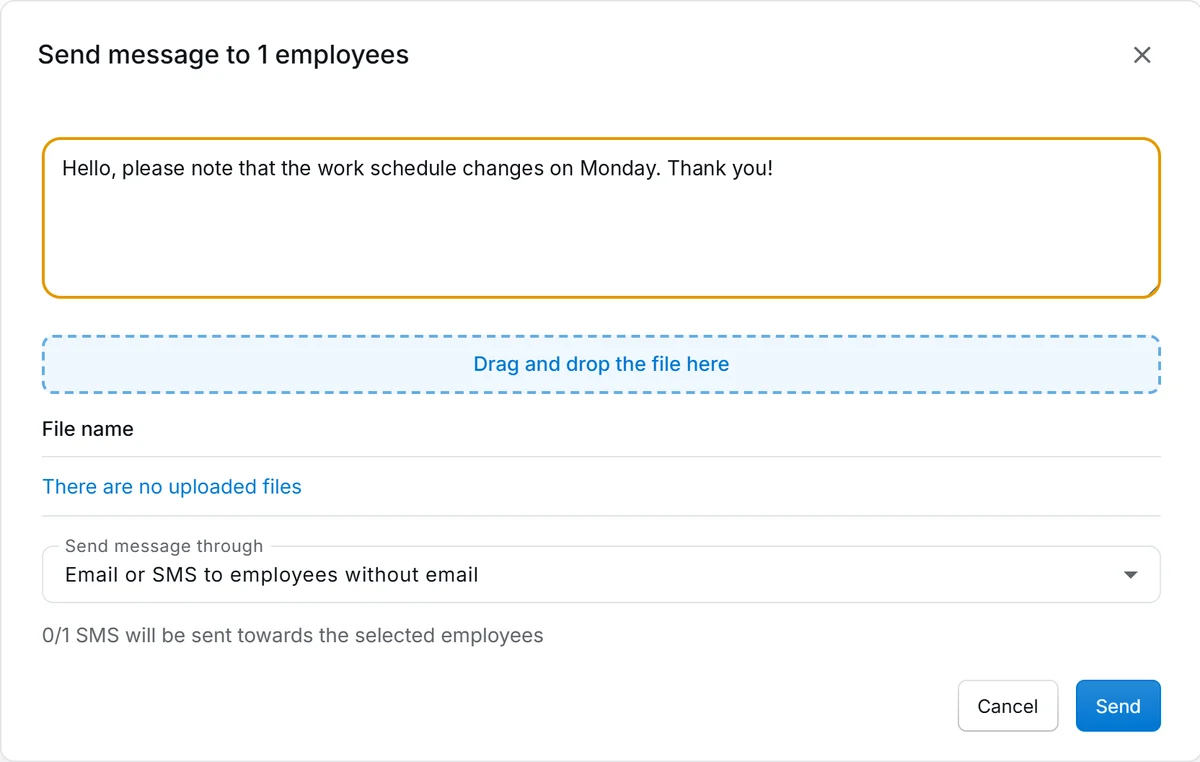
Screenshots from the Creasoft HR application. The personal data shown is not real; it has been anonymised
Frequently asked questions.
Which channels can I use to message employees?
Email, SMS and/or push in the Creasoft Pass app. The message can go by email, and by SMS to employees without email. SMS messages are paid per use.
Can I attach documents to the message?
Yes. You attach documents or instructions, and the employee opens them from the link in the message.
What does acknowledgement confirmation mean?
You can make viewing the documents conditional on signing the acknowledgement. An advanced electronic signature, different from the usual signature, is applied to the document: „I have read and acknowledged”, the employee’s name and the authentication method. In the message list, the status shows „To acknowledge”, „Acknowledged” or „To sign”.
Can I send a summons to the disciplinary committee this way?
Yes. You send the summons as an attached document, with acknowledgement confirmation, and keep proof that the employee received it on an electronic channel. The Romanian Labour Code (art. 251) requires the employee to be summoned in writing; whether the electronic form is enough in your disciplinary procedure is decided with the company’s lawyer.
See how it fits your company.
An online demo takes about 30 minutes. We show you time tracking, reports and documents using an example close to your company.
Or call sales: +40 749 500 400